Alation Feature redesign
Redesigning Compose
- Role
- Lead Product Designer
- Other teams
- Engineering
- Product Management
- Timeline
- 2021 – 2023
Summary
Compose is Alation’s SQL tool that allows data analysts to validate, document, and share queries and data.
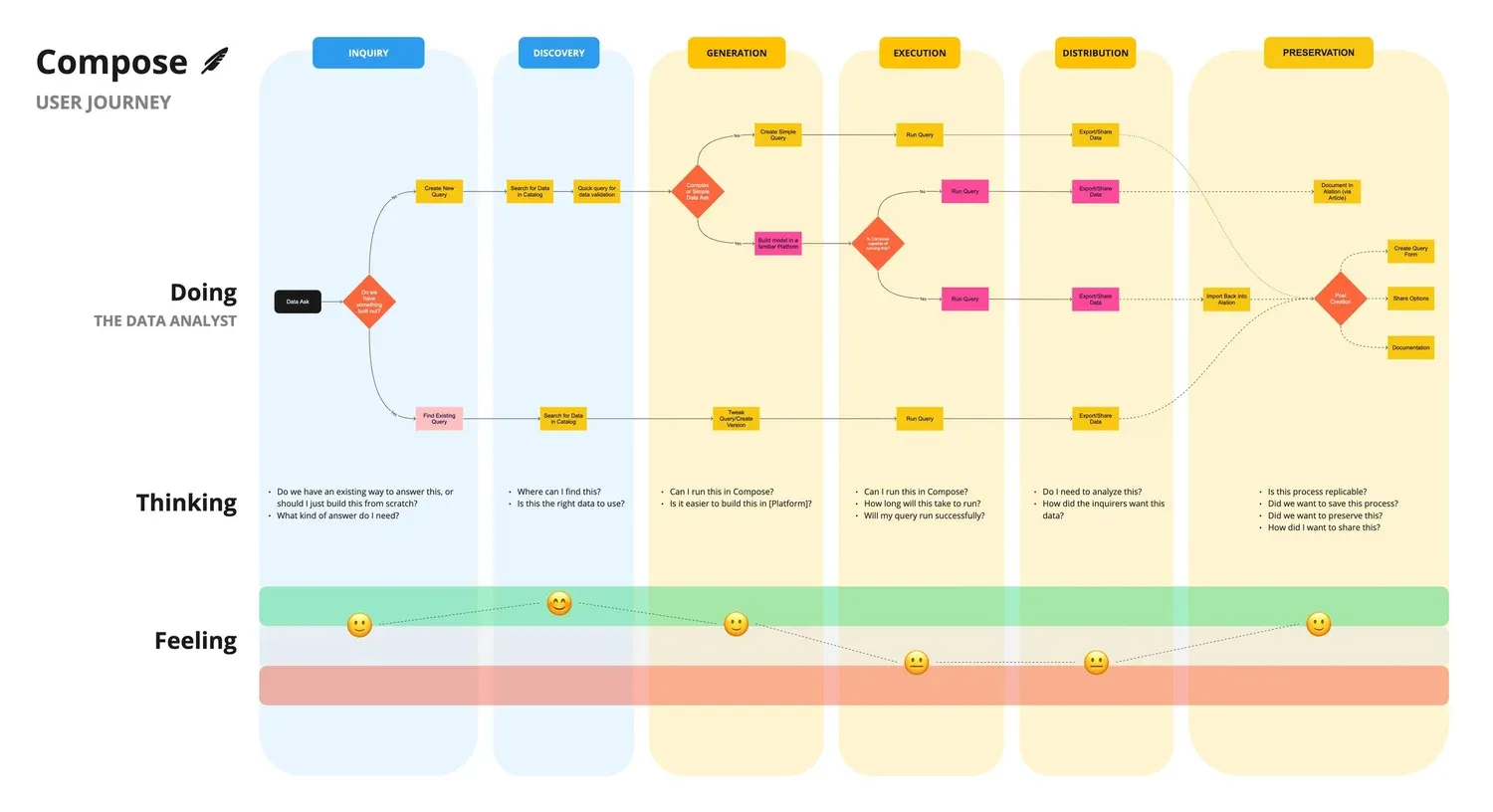
I led a user-focused redesign effort of Compose in order to realign our North Star strategy, better match our offering to our personas’ user journeys, increase engagement and reduce risk of license churn.
Research
Developing the Compose Roadmap
To understand Compose’s current state and define core user problems, I conducted a series of 5 main research initiatives:
- Customer surveys
- Customer interviews and usability sessions
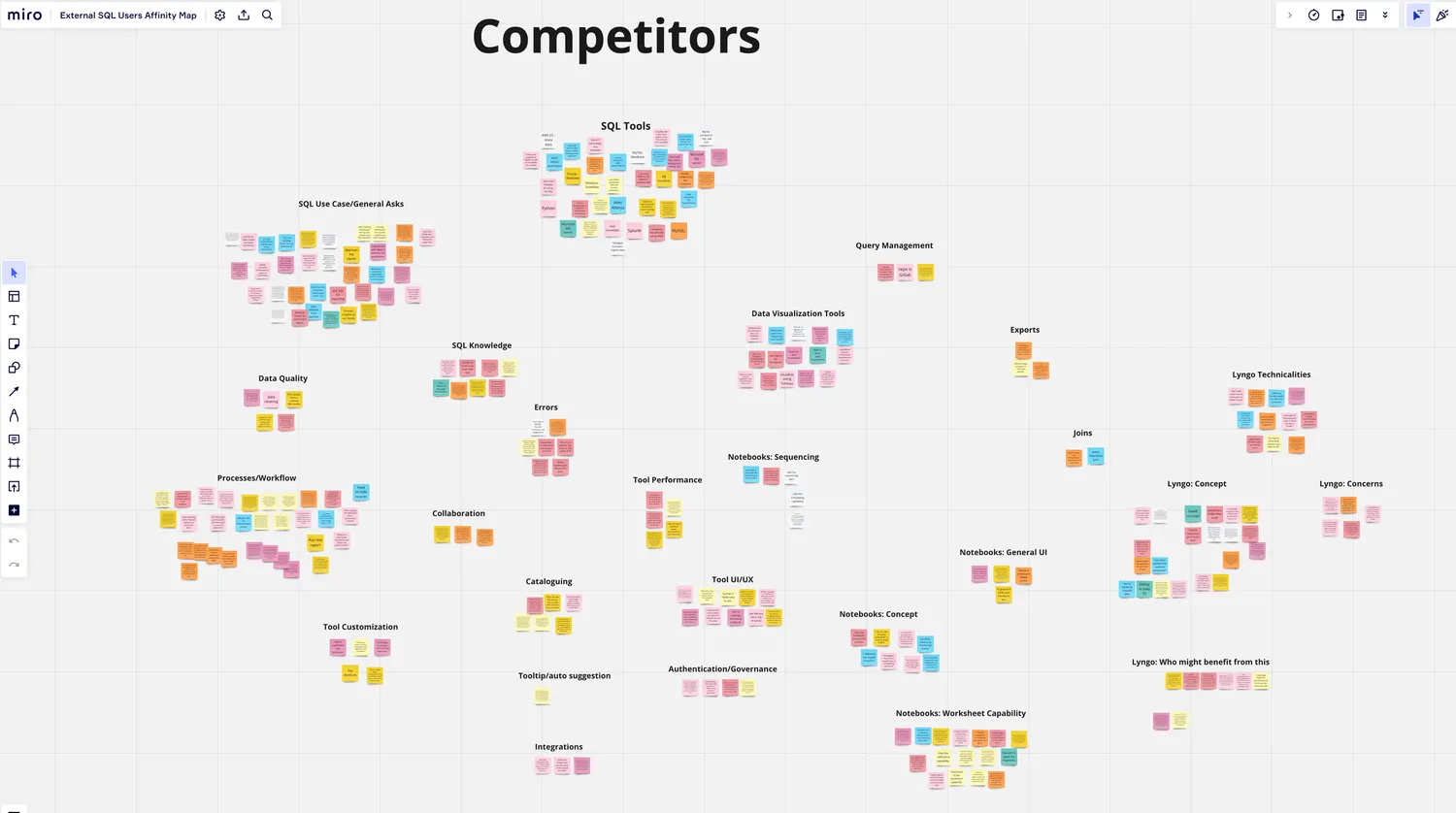
- External non-Alation SQL user interviews
- Competitive and industry analysis
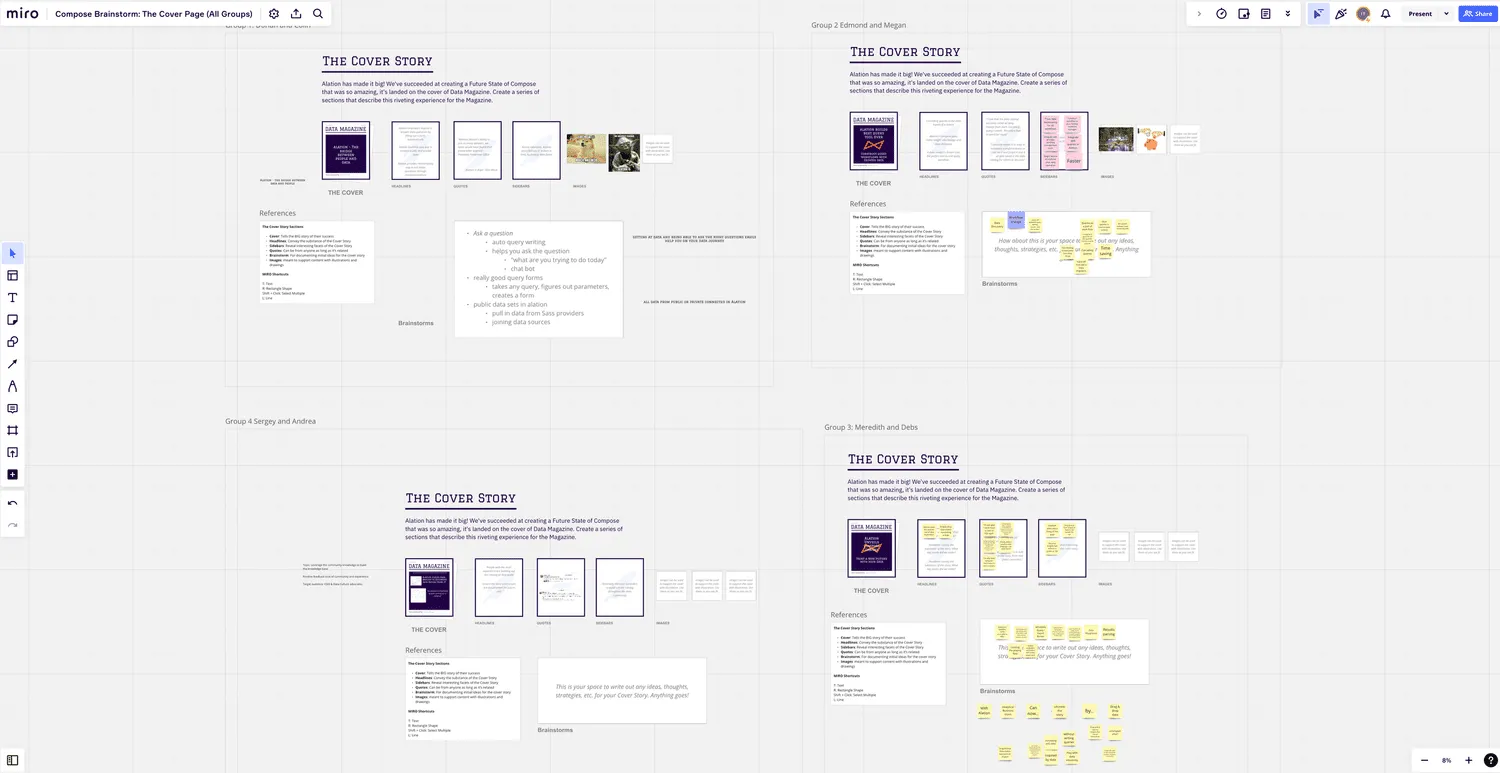
- Internal stakeholder feedback and brainstorm sessions
Core problems
-
Compose didn’t feel streamlined
Outdated and hastily made features, plus a lack of visual direction, resulted in an overall disjointed experience.
-
A lack of “completeness”
Composers felt as if we hadn’t given them all the tools to finish their work — there was a lack of completeness in their daily workflow.
-
Customers didn’t feel heard
Approaching individual enhancement requests rather than the underlying issues resulted in massive under-delivery.

Compose’s North Star
Compose is used for quick and streamlined data verification and query runs. We want to provide a comprehensive experience that is tailored to being as efficient as our Composers.
Key decisions
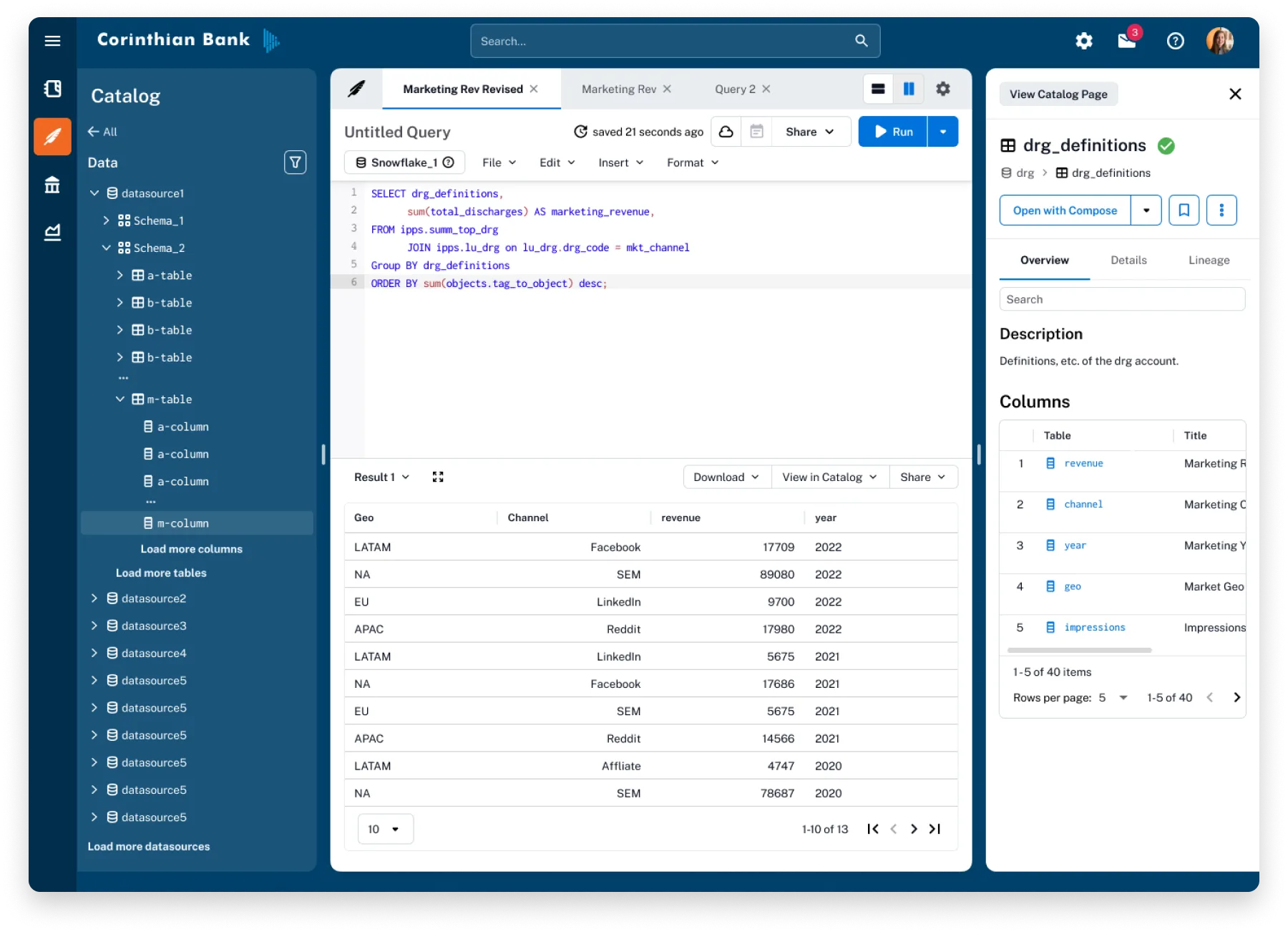
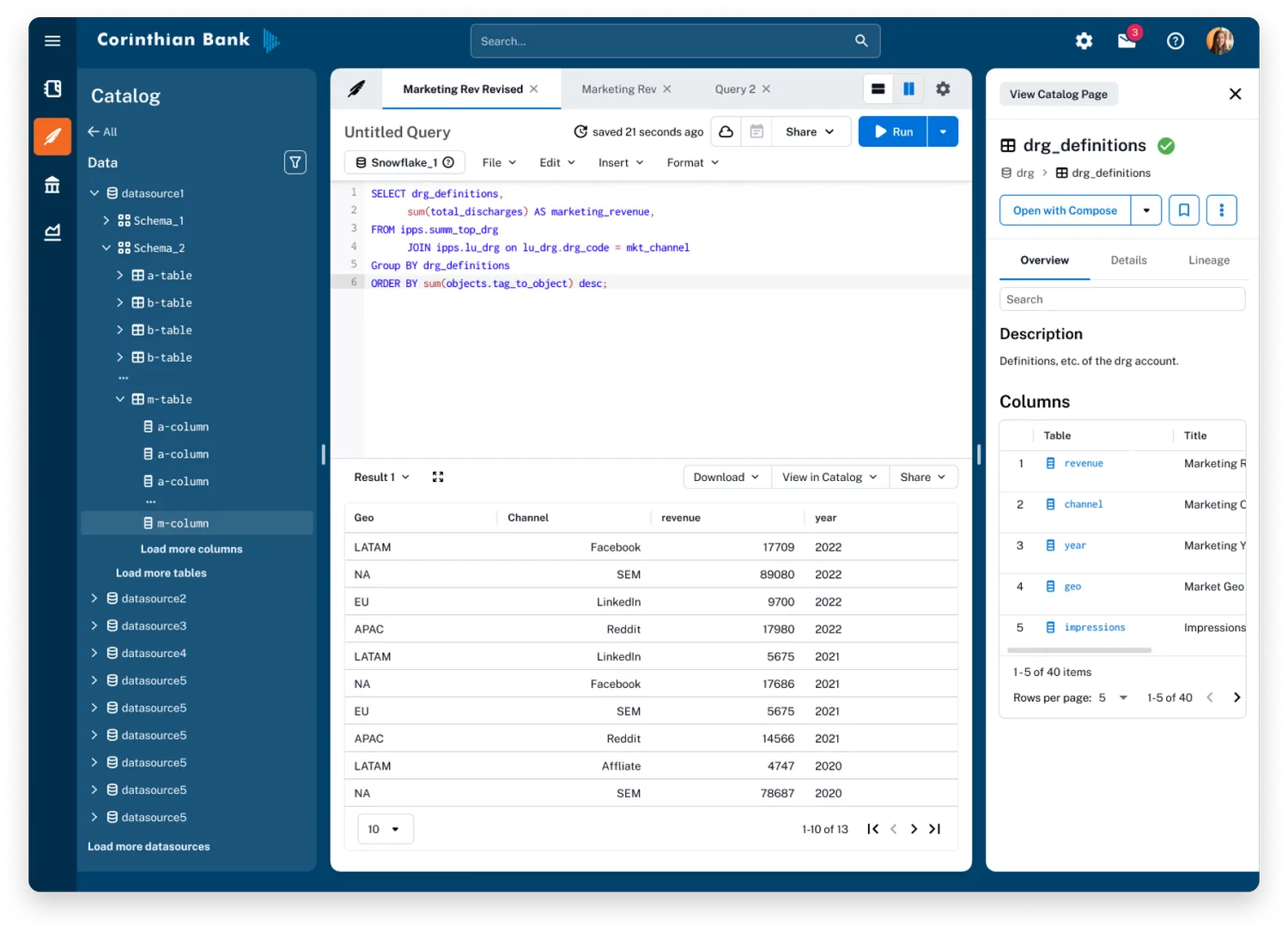
Improving core flow & panel UX
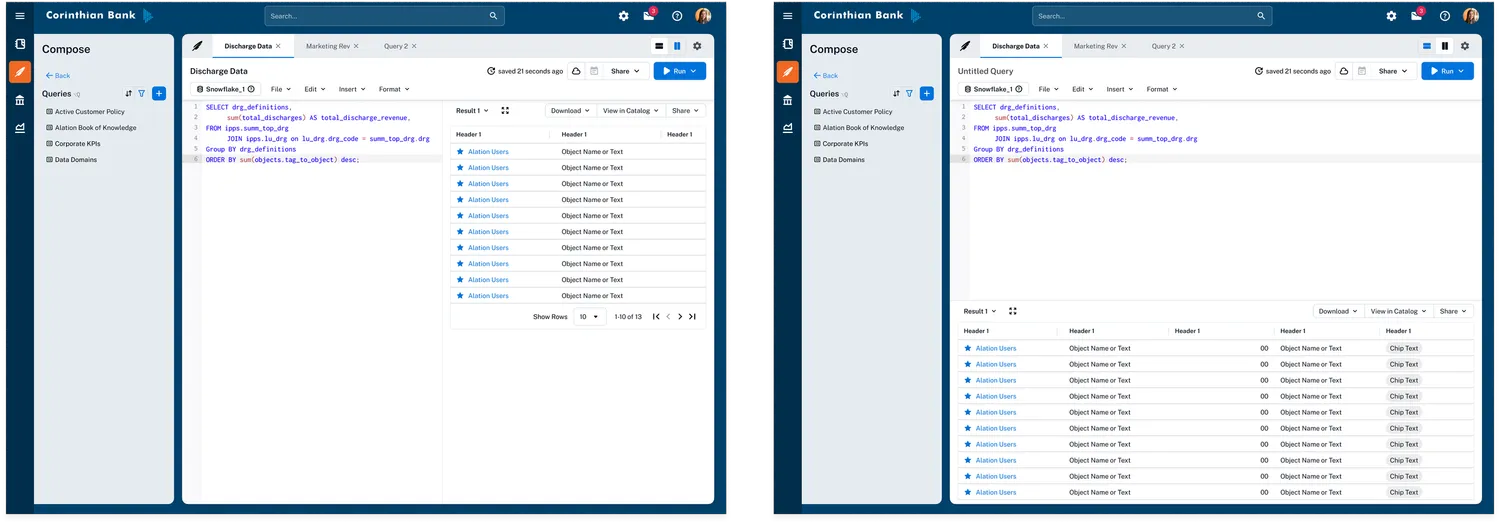
Dynamic Panel Layouts
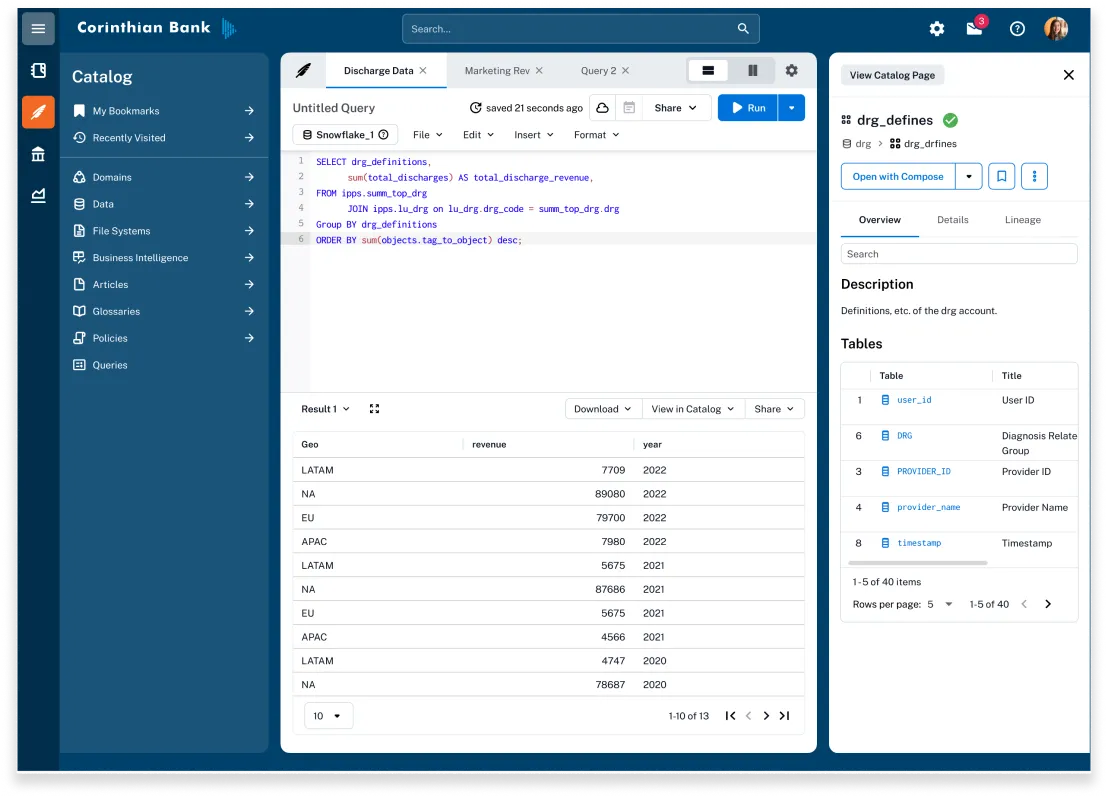
Composers wanted a better way to utilize their screen’s real estate across large and small screens. Outside of standard screen responsiveness, I let Composers choose which layout orientation best suited their needs.
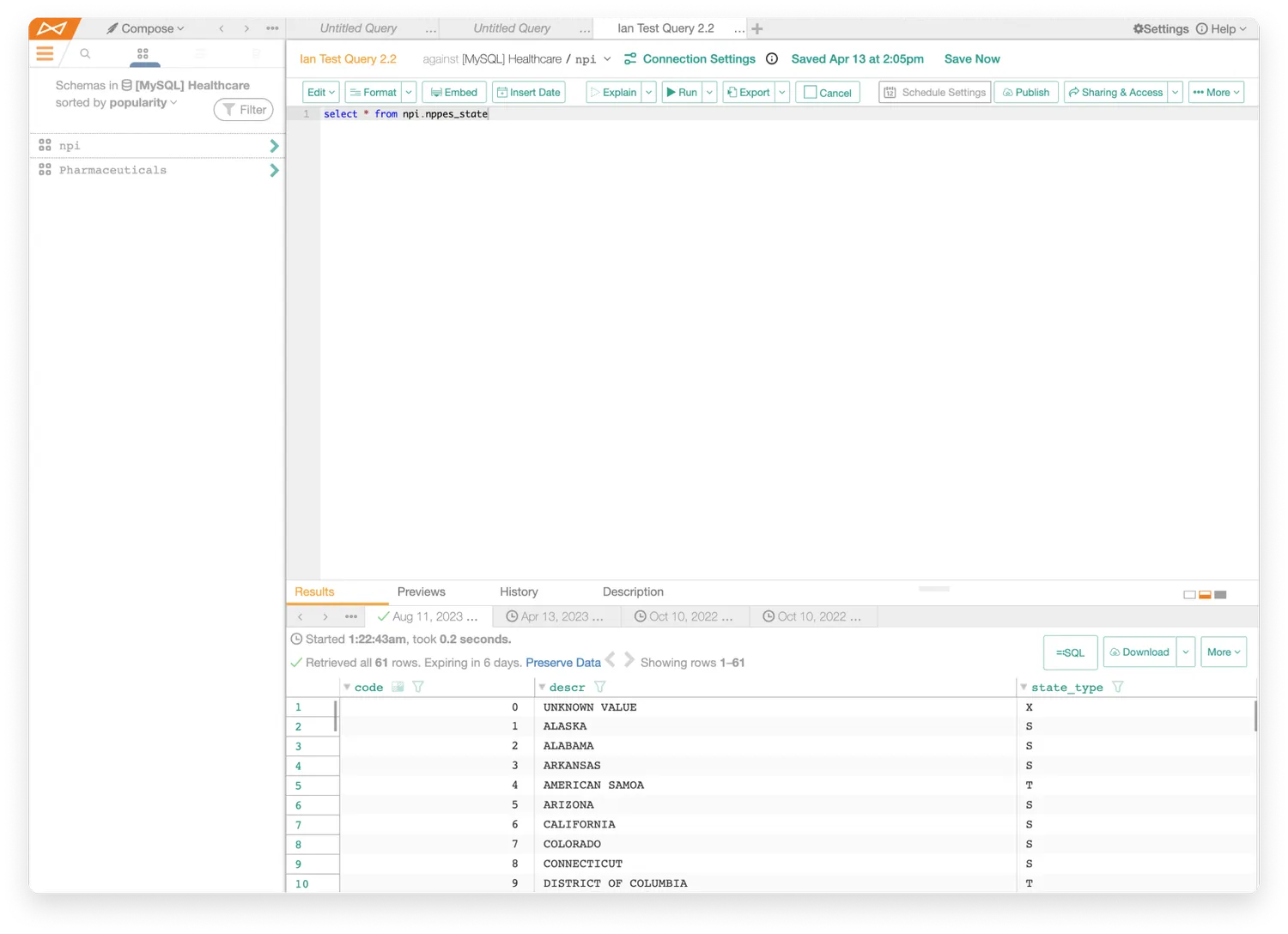
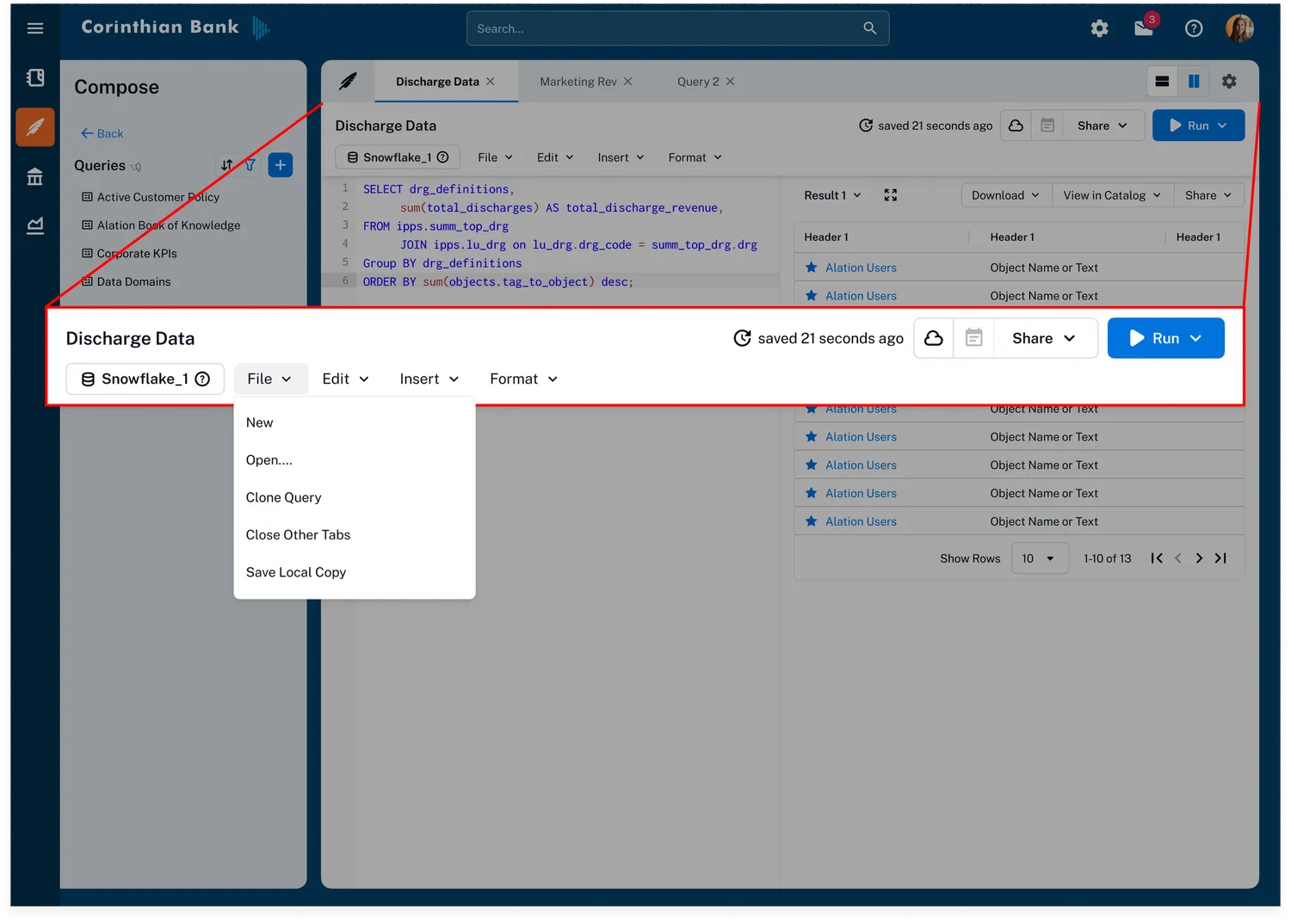
Toolbar Simplification
The old toolbar was nondirectional and a victim of feature bloat. I cleaned it up using card-sorting exercises and streamlined the section around the core journey.
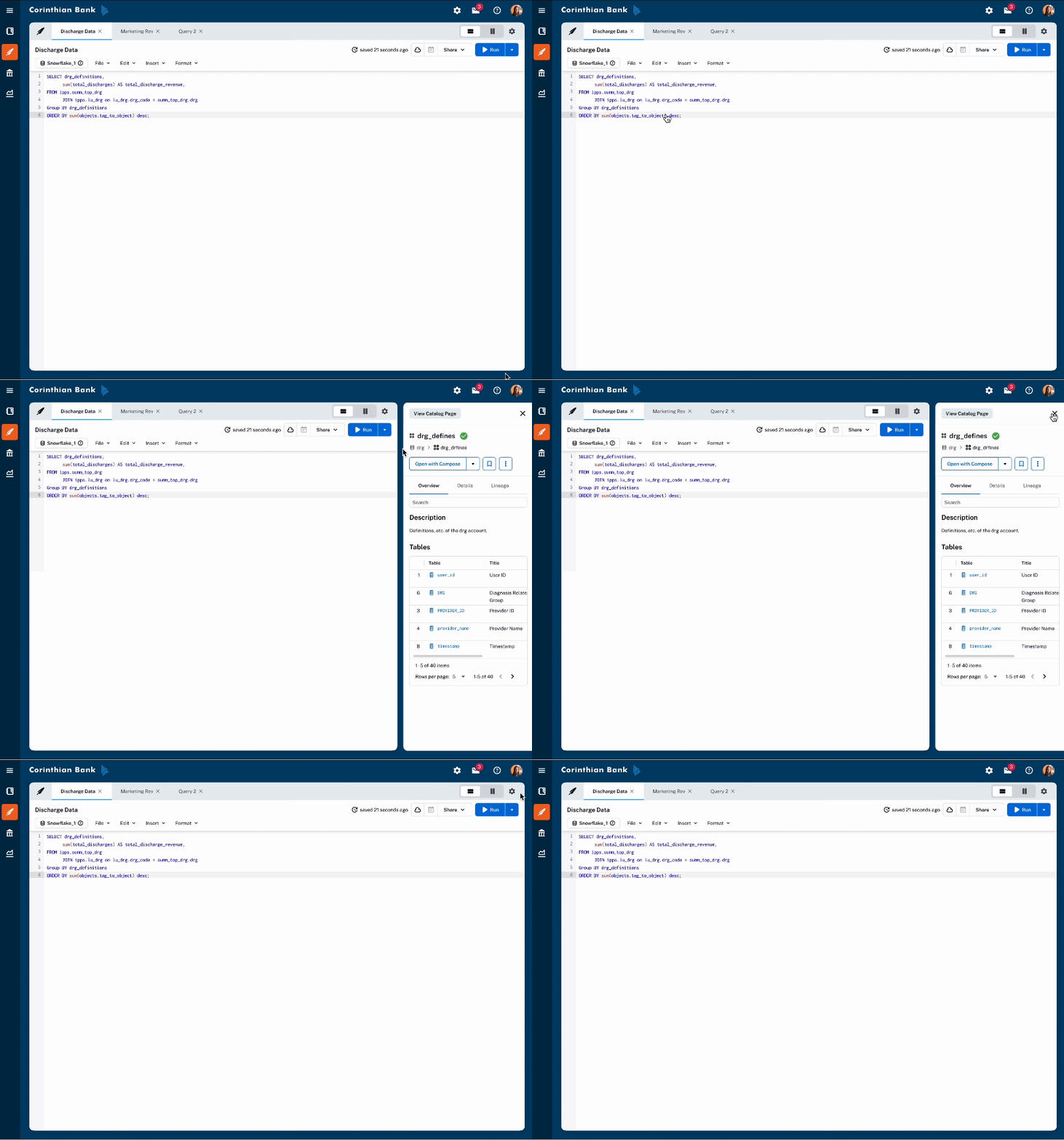
Object Preview, as a Panel
Composers wanted more features available via panels so they could use their screen real estate more effectively. I reworked the old Preview into a panel experience, which eventually scaled to other products at Alation.
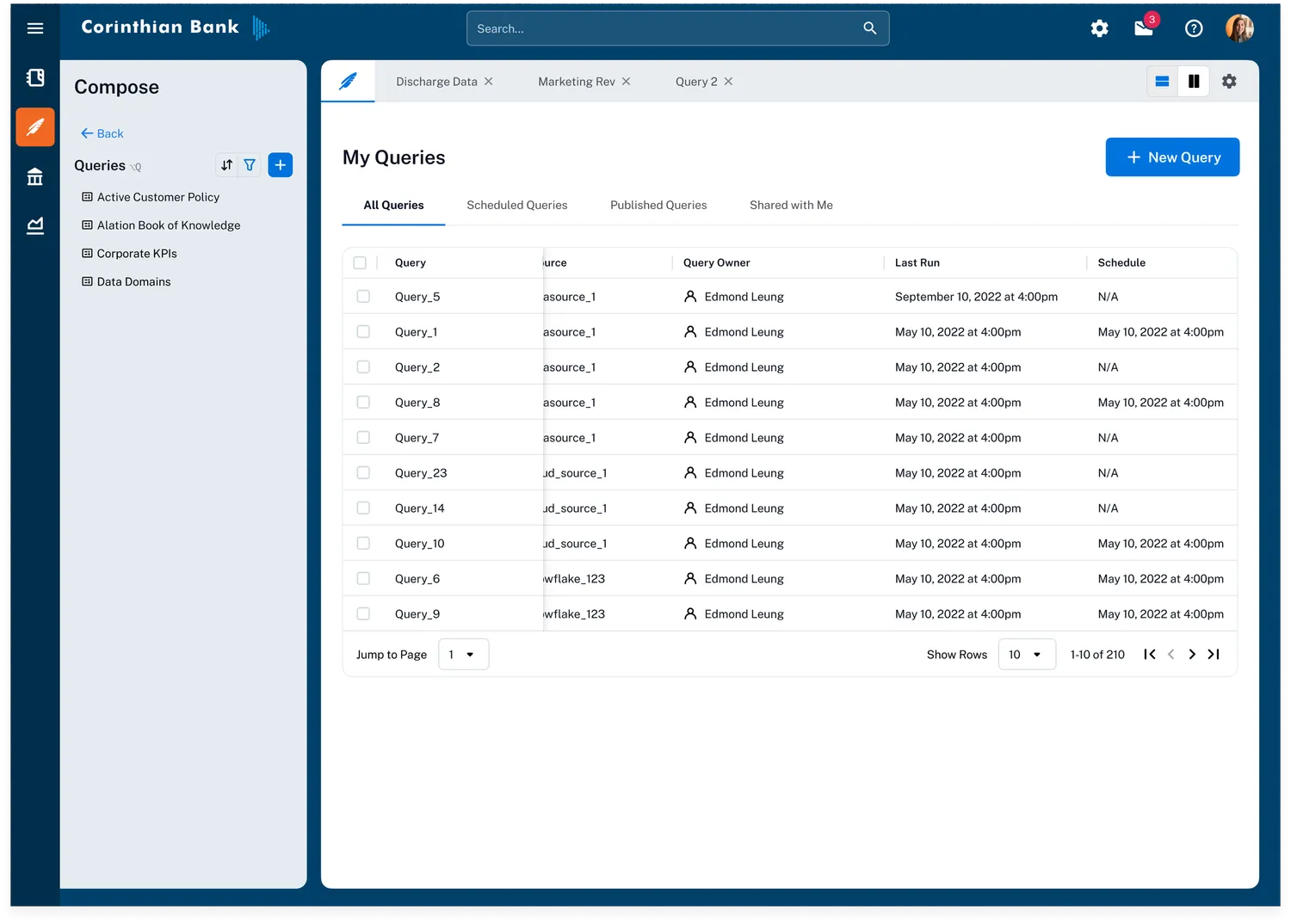
A Sense of Home: Query Management
Composers voiced that they “wanted to stay in Compose”. To give them a sense of home, we needed a clear starting point for their work — so I designed a query management home for picking up where they left off.